UI/UX
QuickCram | An AI-Driven Flashcard Learning App
20 MAY 2025
Project type: UI/UX Design & Research
Duration: 6 weeks
Role: UI/UX Designer, Researcher
Tools: Figma
In this project I worked as UI/UX designer, defining the problem, mapping flows, and designing the core interactions and screens, informed both by user conversations and by my own experience assembling similar workflows across multiple AI tools. This case study documents how those insights shaped the product and where I see limitations and next steps.
Overview
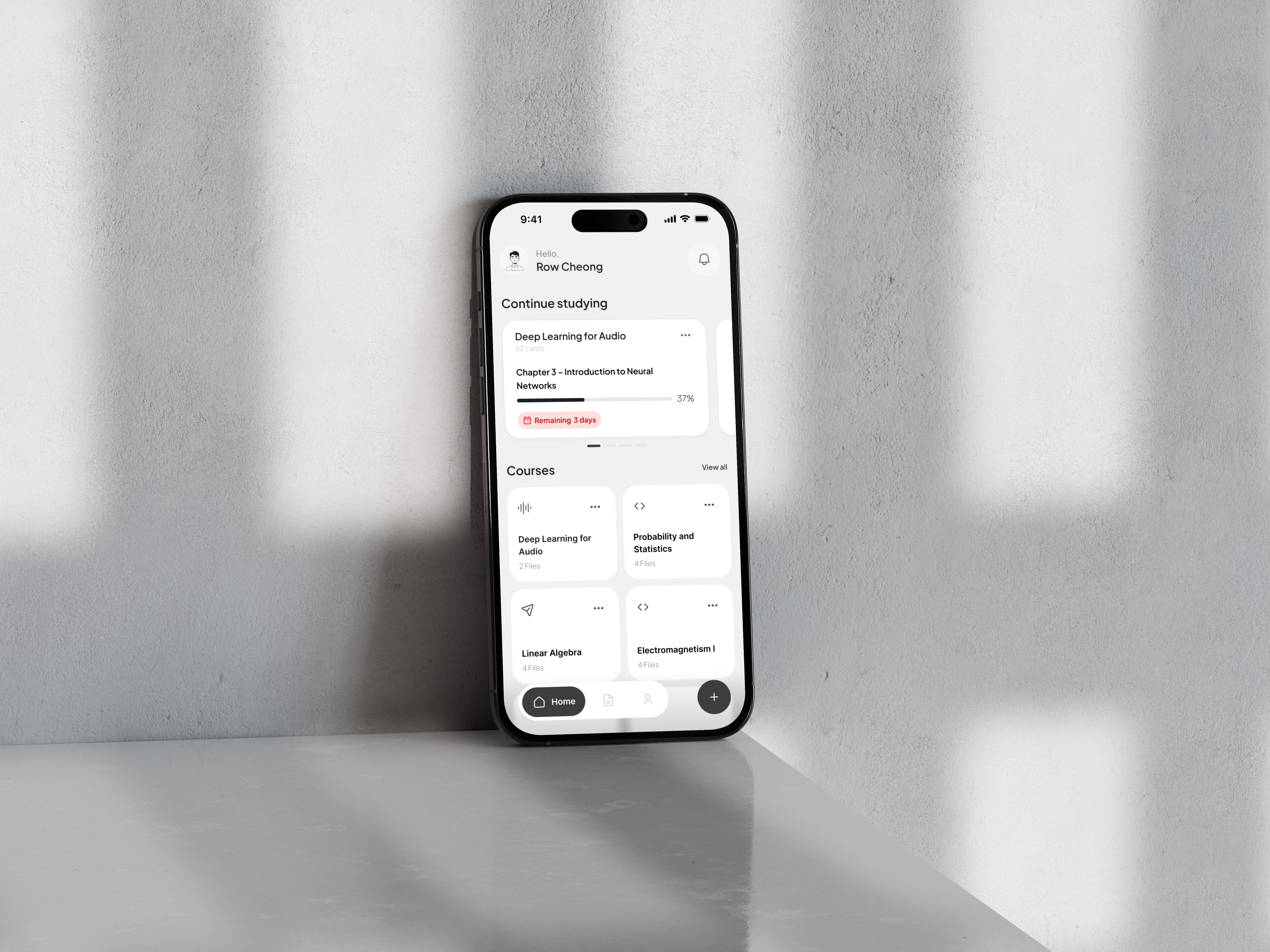
QuickCram (佛脚) is a concept mobile app for high school and university students who often start revising only a few days before exams. Instead of trying to fix procrastination, the product focuses on this specific moment: there are 3–7 days left, materials are scattered across PDFs, slides and screenshots, and the student needs a simple way to turn all of that into a clear, executable plan.
The app combines AI-based key point extraction, automatic flashcard generation and an exam-aware spaced repetition engine. Students upload their existing materials, an AI agent identifies the most relevant concepts, generates multiple question types around each one, and schedules short study sessions that fit the remaining time before the exam. Compared with traditional tools like Anki, QuickCram takes a more opinionated stance: it reduces manual setup and configuration, and assumes the student has low time and attention for managing decks and algorithms.
Problem
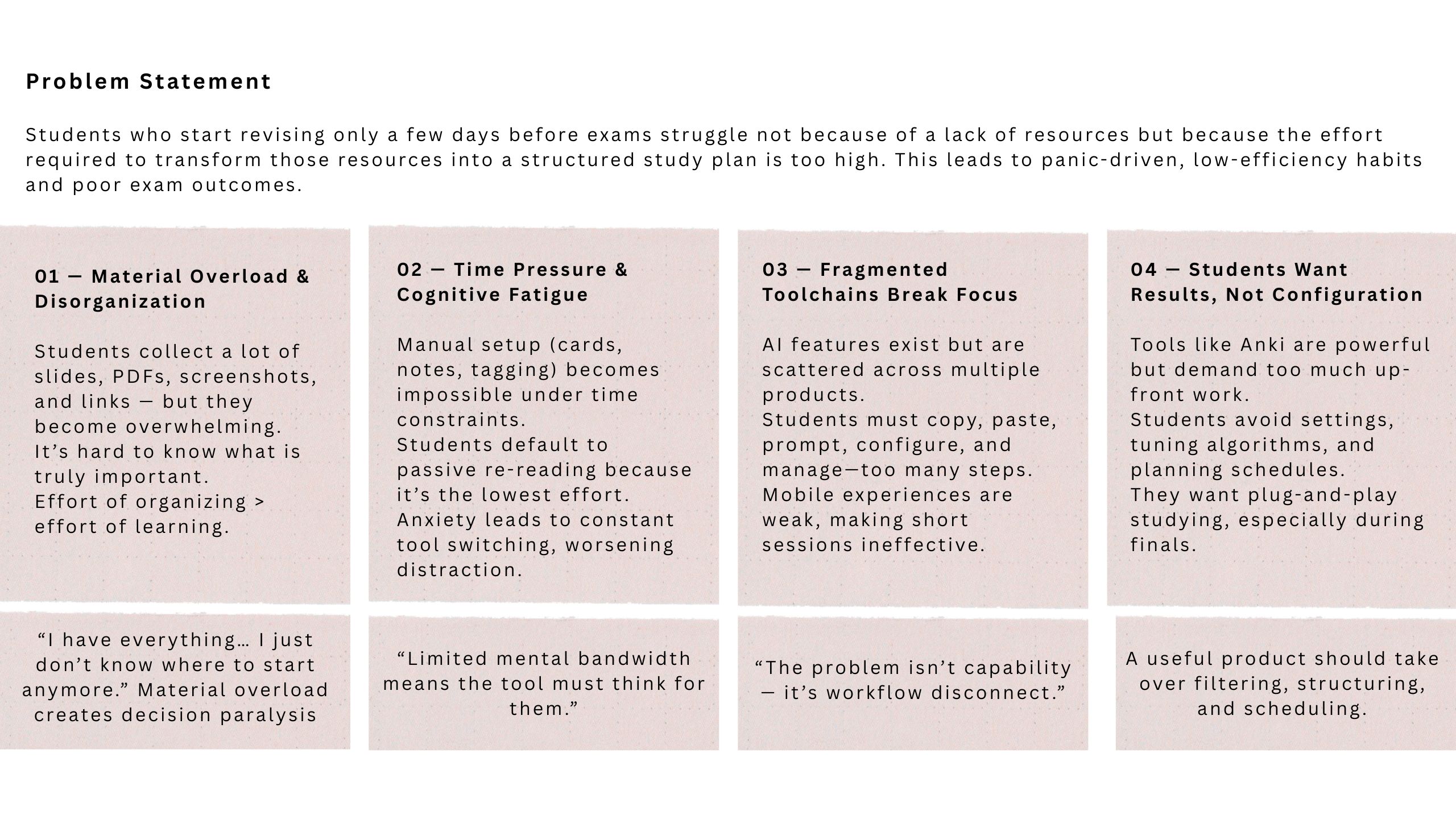
Most students do not start from a clean study plan; they start when the exam is already close. In that moment there are usually 3–7 days left, several subjects to cover, and a mixture of past papers, slides, screenshots and notes that all feel important but are hard to prioritise. The main problem is not a lack of resources, but the effort required to turn those resources into a realistic, structured revision plan.
Existing tools only partially help. Flashcard apps like Anki are powerful, but they assume time for manual card creation and for tuning decks and schedules, which does not match the mindset of last-minute revision. Generic AI tools can summarise documents or generate questions, but they live outside the actual study flow: students have to switch between products, write prompts, copy and paste content, and then manage everything themselves.
QuickCram is designed for this specific context. The core hypothesis is that, during exam week, a useful tool should take over the heavy work of filtering, structuring and scheduling. Instead of asking students to decide what to review next and how to organise it, the app uses AI to process their existing materials and then delivers short, focused sessions that fit the remaining time, so that their limited attention can stay on actually answering questions and understanding concepts.
Goals and Success Metrics
QuickCram aims to reduce the cognitive load and setup time students face when they begin revising just a few days before exams. The goal is to automate the transformation of scattered materials into short, structured study sessions that help students start immediately, prioritize what matters most, and maintain confidence under stress.
Progress was evaluated qualitatively through early usability tests and user feedback, focusing on whether students could complete their first study task within a minute, feel more in control of their revision, and express a strong intent to rely on the product during real exam weeks.
01 / Research — Understanding the Last-Minute Learner
To deeply understand how students revise under extreme time pressure (3–7 days before exams), I conducted user interviews, behavioral research, and competitor analysis. These helped uncover the real needs and hidden obstacles that make studying feel overwhelming at the exact moment when focus matters most.
User Interviews — What Students Told Us Directly
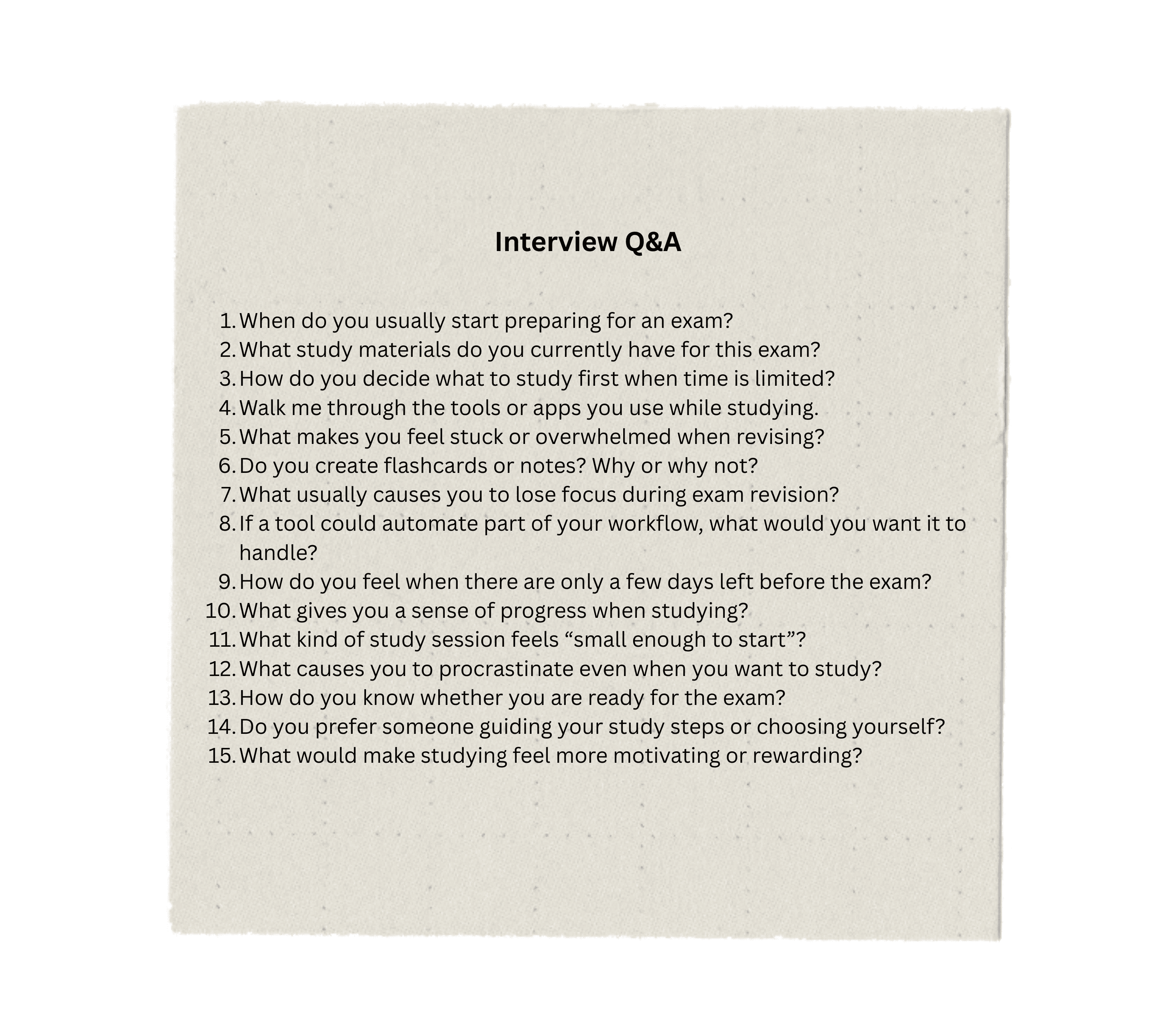
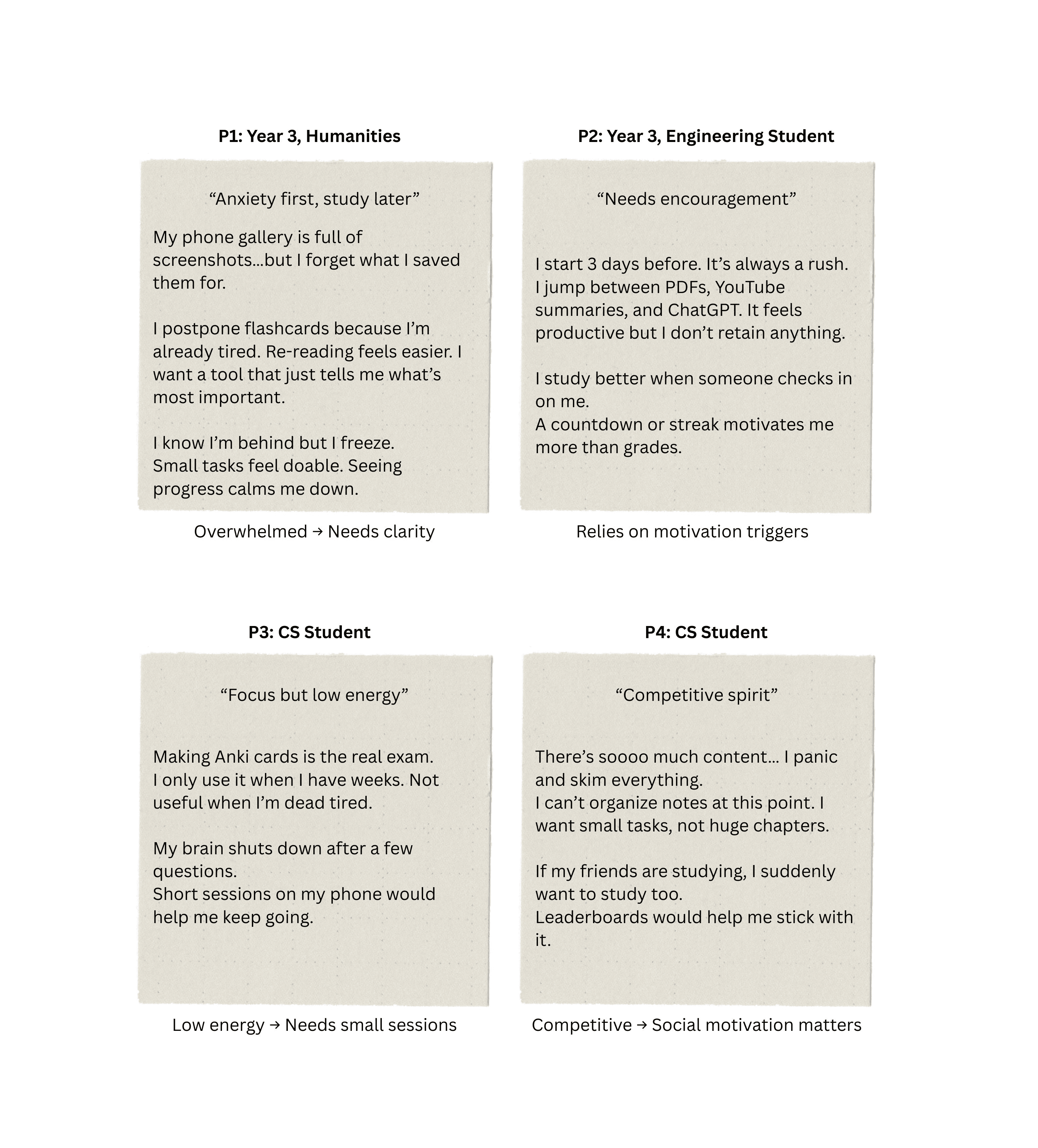
4 participants · 10–15 min contextual interview sessions · Conducted during exam week
Key findings:
Students already have plenty of materials but cannot prioritize
When stress rises, mental energy goes down → no energy for planning
Manual flashcard creation is always postponed until it's too late
Switching tools breaks flow and kills motivation
Behavioral Research — Observing Real Revision Workflows
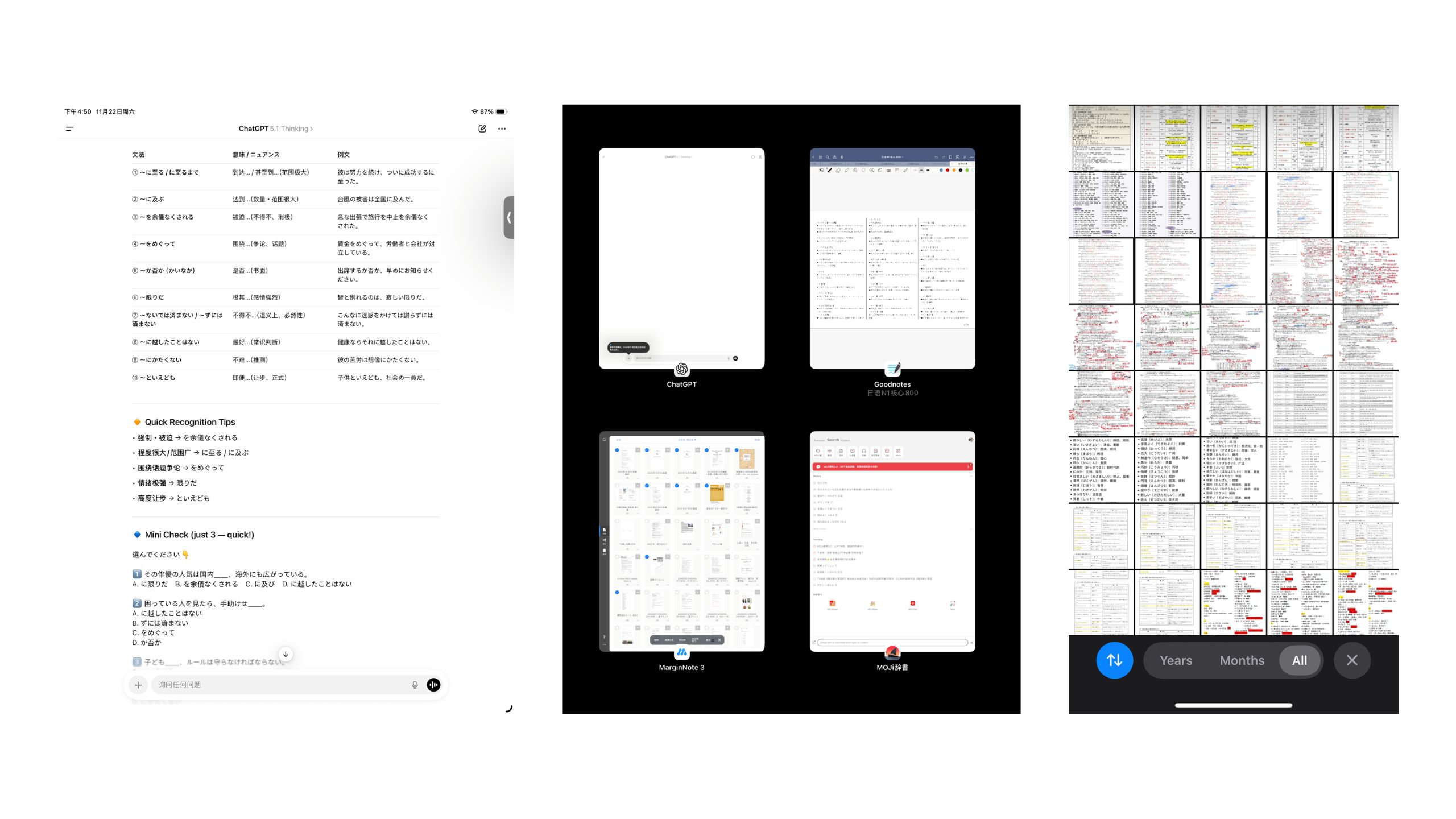
Screenshots as "Storage," Not Study
Students save lecture slides, diagrams, and problem screenshots into their camera roll — but without structure. As the exam approaches, this chaotic gallery becomes overwhelming. They have the information, but not in a form they can actually study from.
"I forget why I saved half of these."
Tool-Hopping Creates Fragmented Workflows
When panic rises, students jump rapidly between:
PDFs & lecture slides
YouTube explainer videos
GPT/AI summary tools
Flashcard apps like Anki
"By the time I make cards, I'm already too tired to study them."
My Own Experience — Making the Friction Concrete
To understand how students actually revise under time pressure, I analyzed my own workflows while preparing for exams like JLPT N1. The pattern was clear: I had already collected a lot of material (past papers, lecture slides, grammar handouts, video courses), but when exams approached, I defaulted to re-reading, skimming, or jumping between tabs, even though I knew these methods were not very effective.
In an earlier phase I would watch videos, take screenshots, drop them into tools like MarginNote, manually hide key parts and test myself. This produced structured material, but the effort of selecting, cropping and maintaining notes was so high that I often ran out of energy before real revision started.
In a later phase I experimented with several AI tools in sequence: using one service to summarise content, another to refine notes, and a third to generate flashcards and simulate "Feynman-style" Q&A. The quality of the questions improved, but the overall experience became fragmented, subscription-heavy, and dependent on careful prompt writing.
User Journey Map — The Last 7 Days Before the Exam
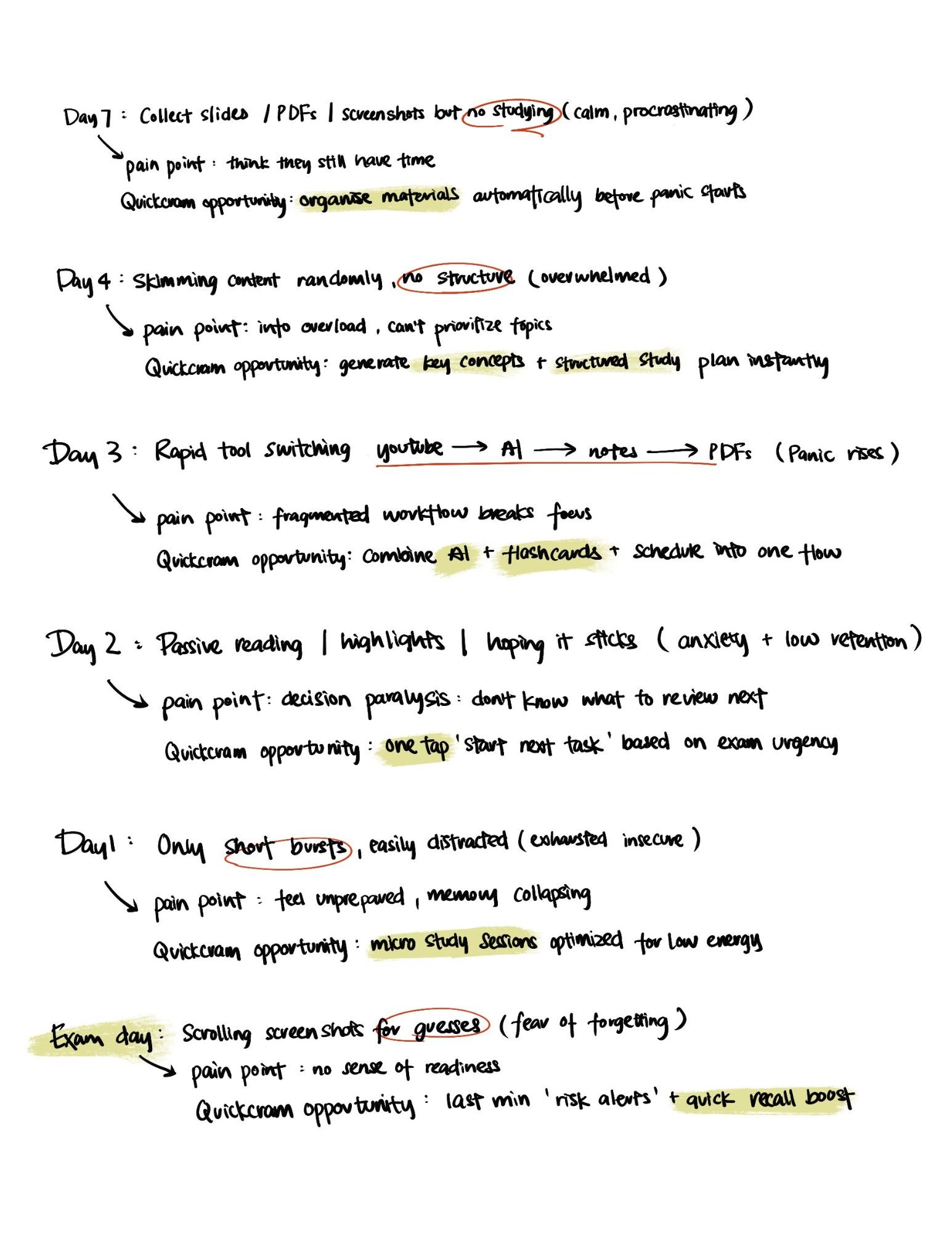
This map captures how student emotions, focus levels, and study behaviors shift from seven days before the exam to exam morning. By visualizing the growing panic and collapsing decision-making capacity, I identified key intervention points where QuickCram must reduce cognitive load and automate planning.
Competitor Analysis
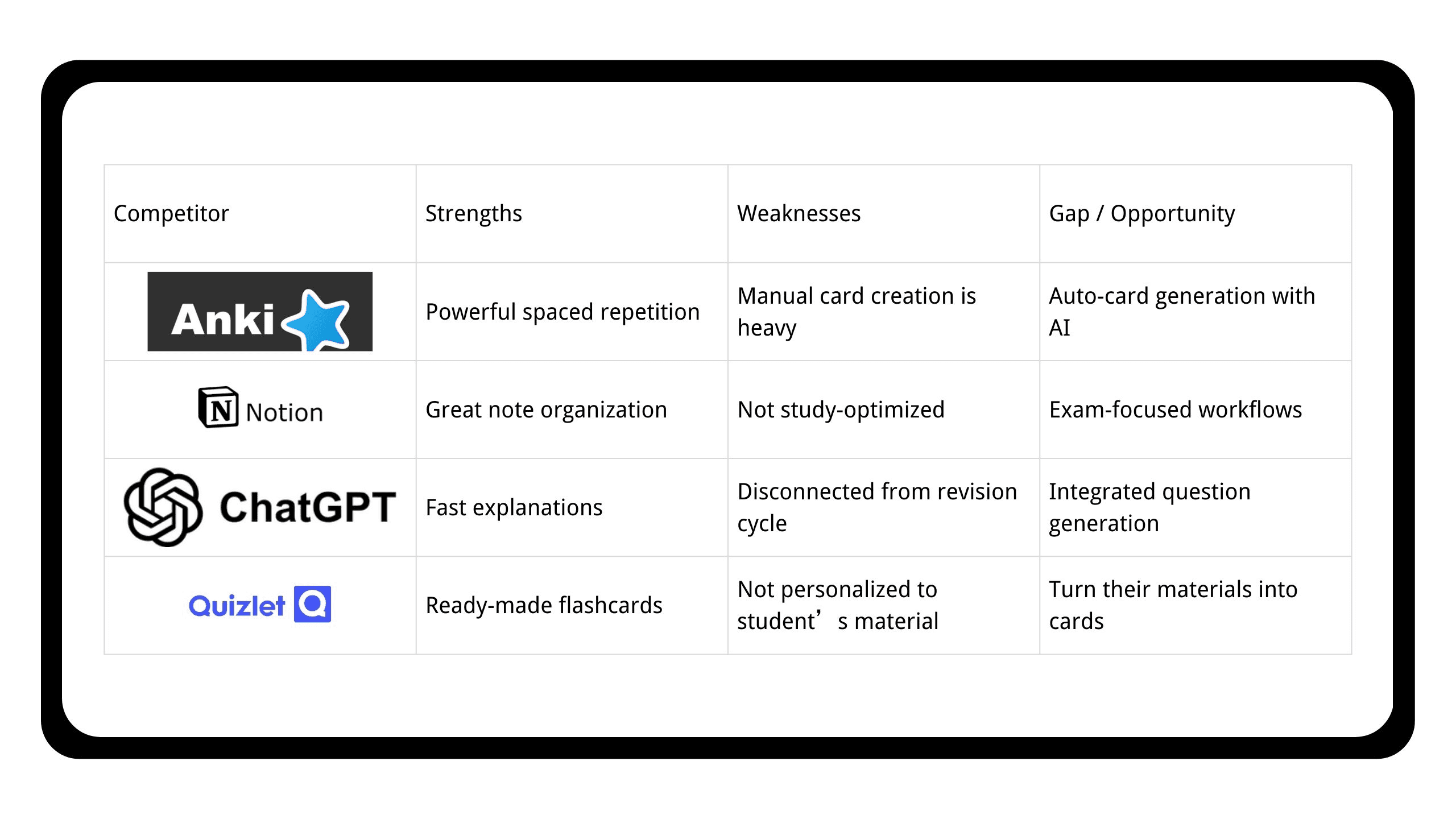
Existing tools either require too much manual effort (Anki, Notion) or provide knowledge without structure (YouTube, ChatGPT). None take over filtering, organizing, and scheduling during the critical last-minute phase.
Personas
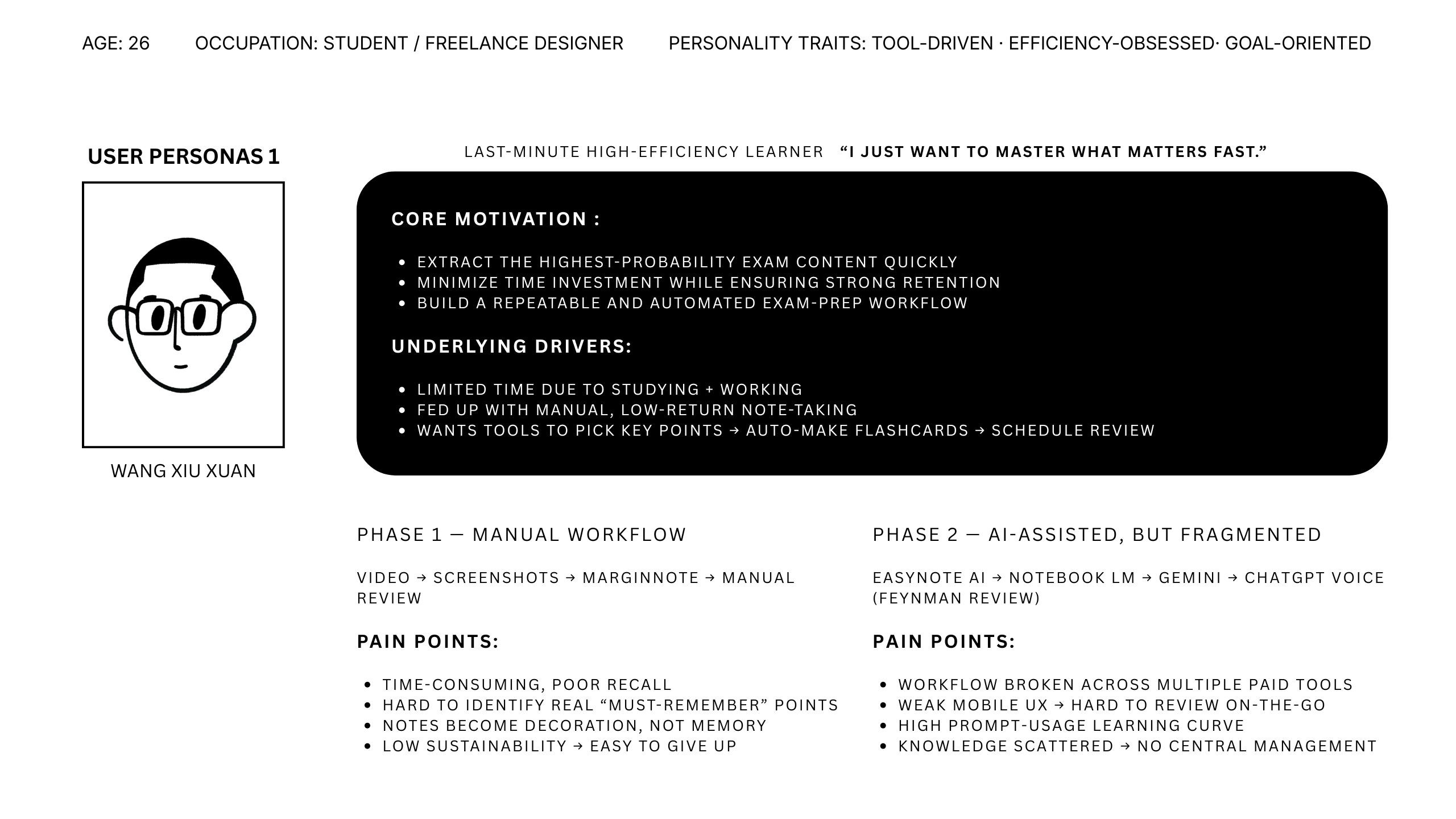
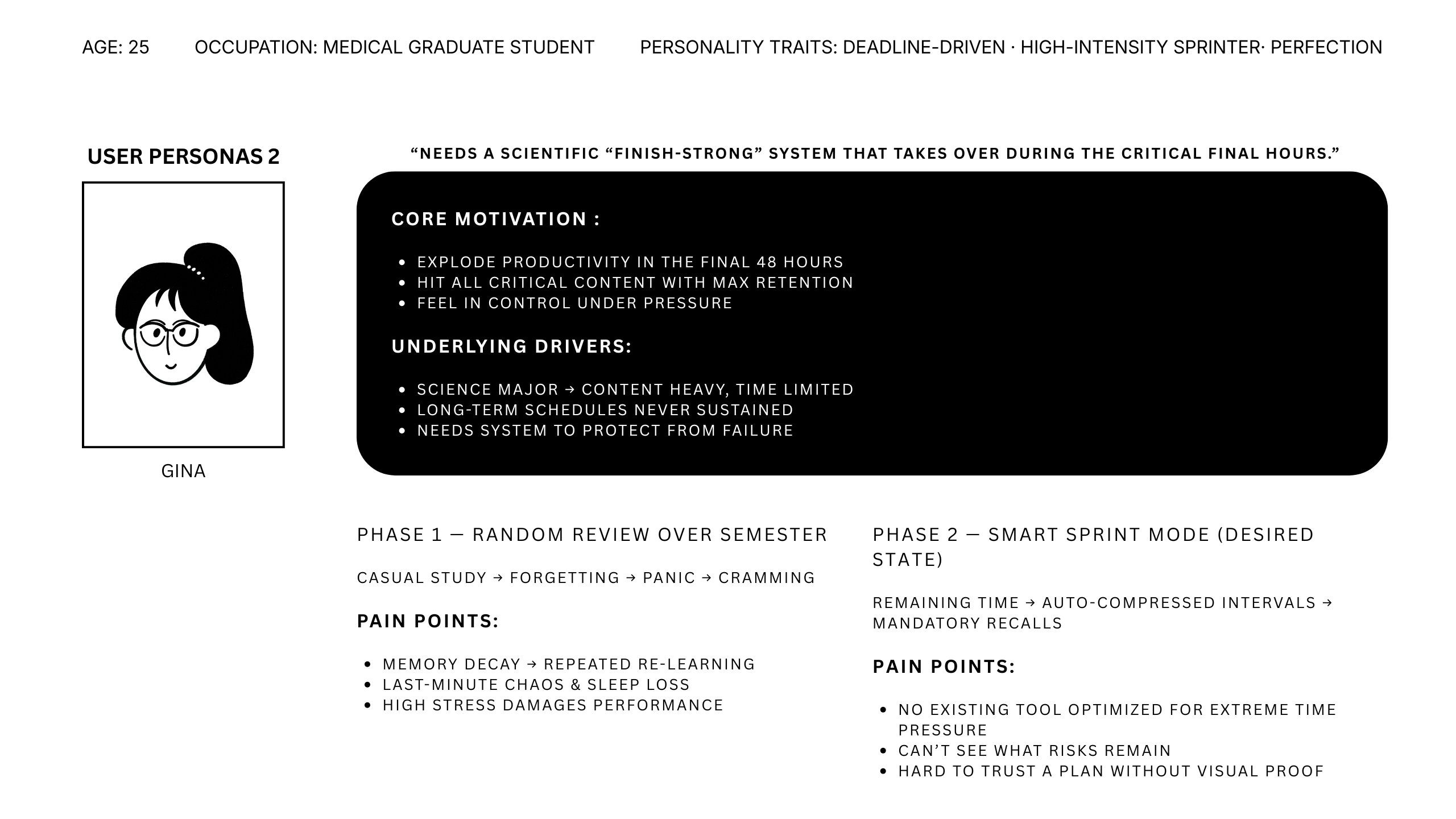
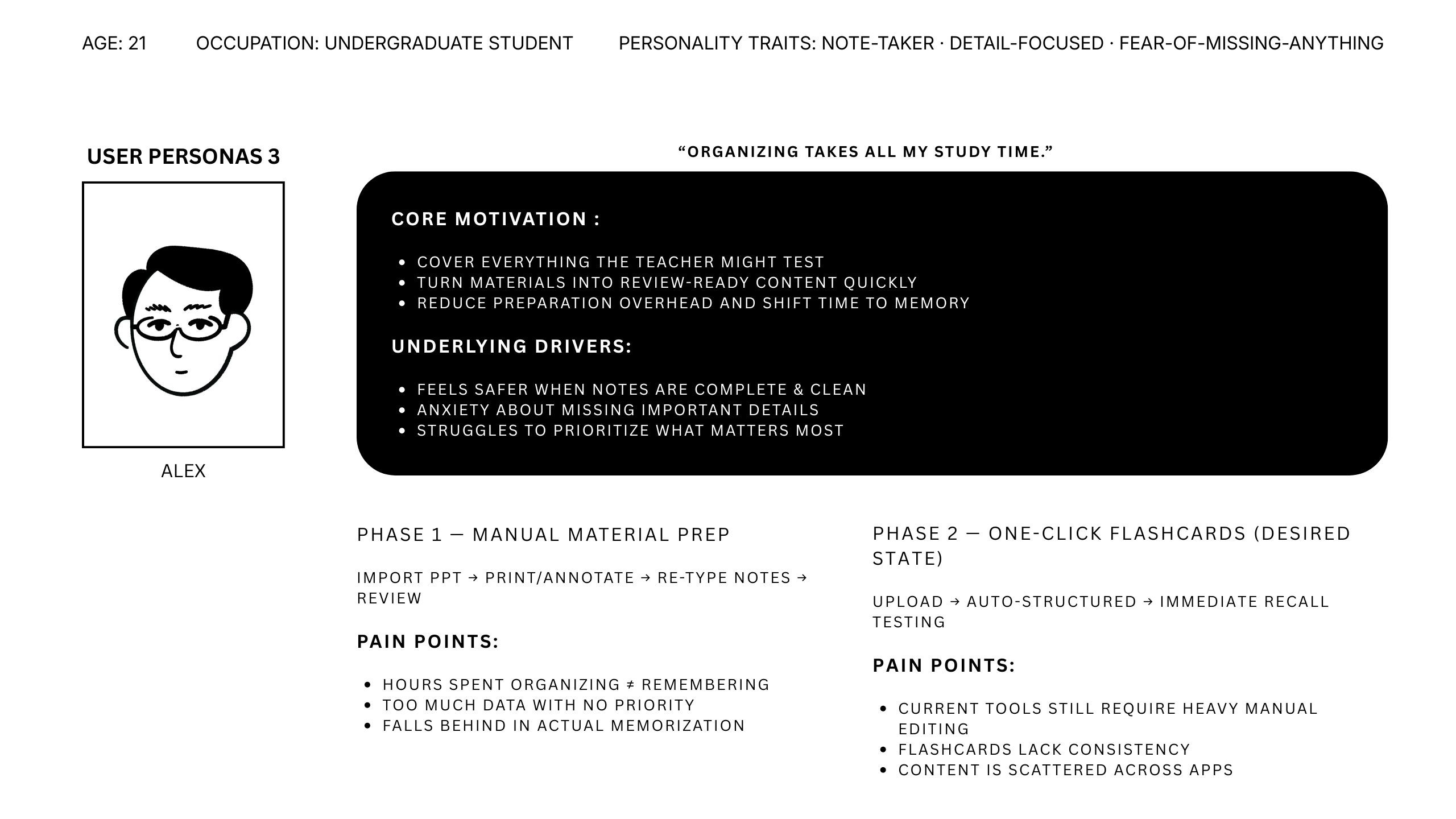
02 / Define — Key Insights & Design Principles
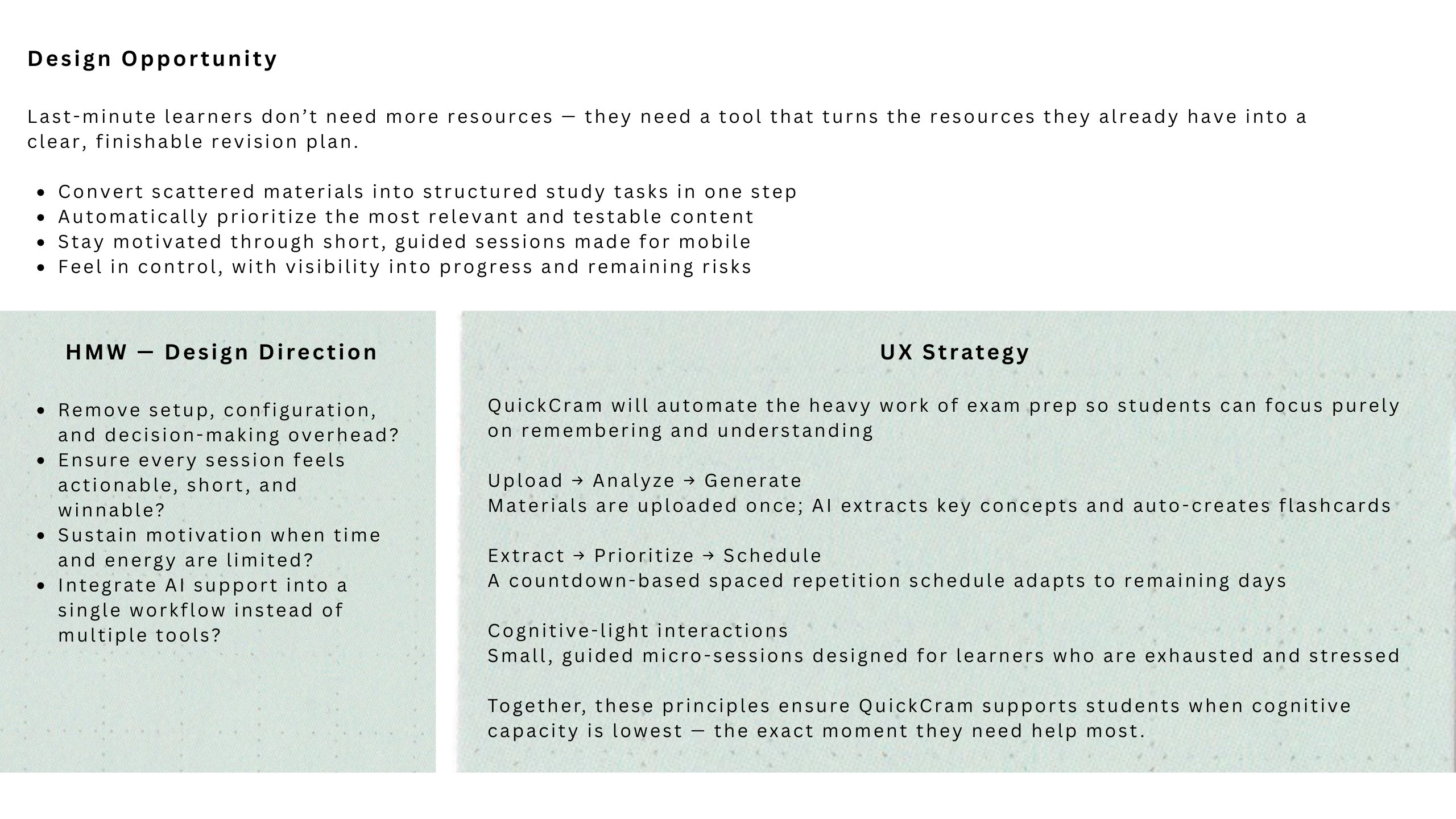
Based on the research, I identified core insights that shaped QuickCram's design approach:
Key Insights:
Students already have materials — the problem is transforming them into a structured, finishable plan before the exam
Students need a single, opinionated system that automates the entire pipeline from upload to study session
Peak stress occurs when planning capacity is lowest — automation must step in at this exact moment
Design Principles:
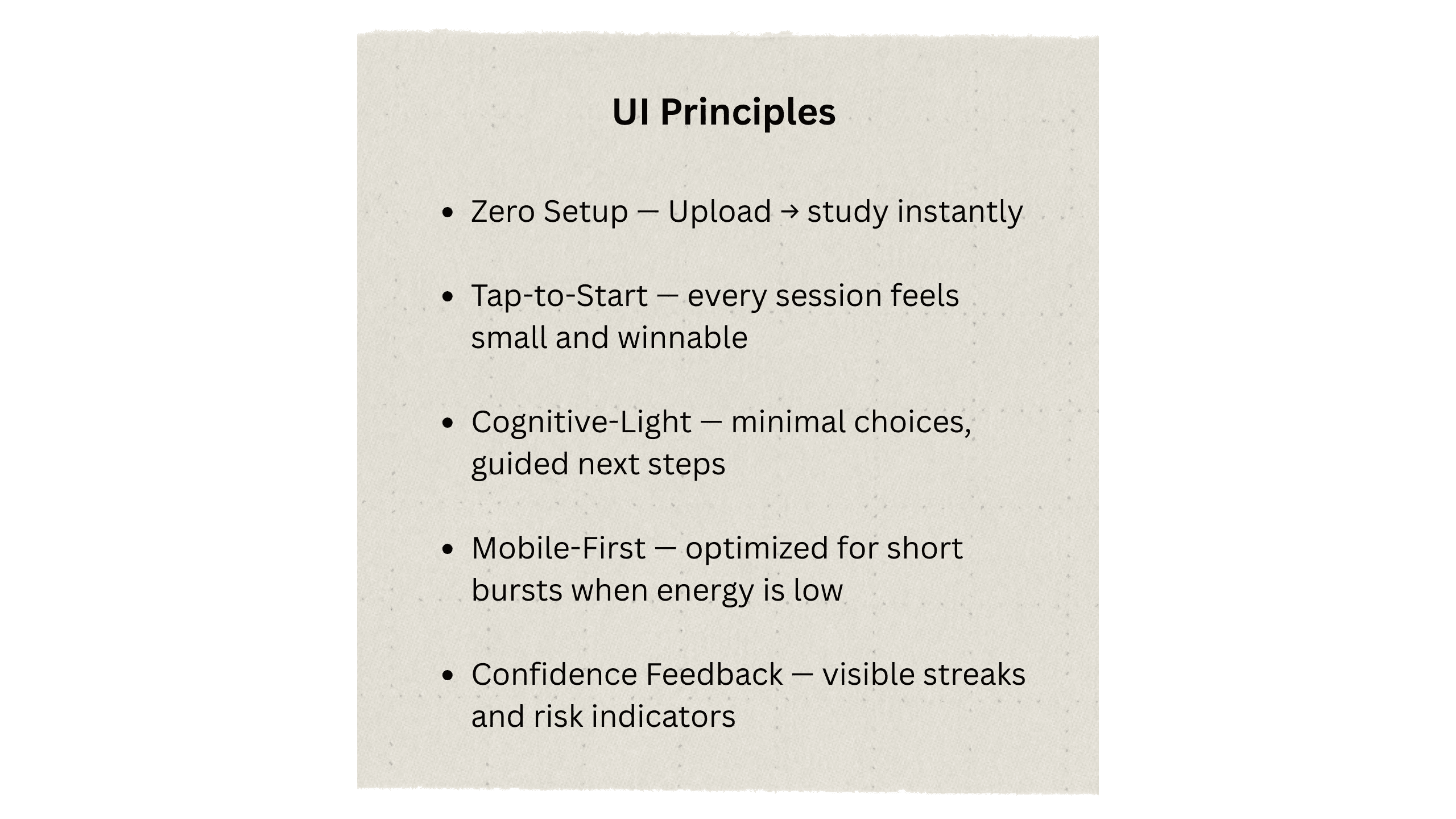
1. Speed to First Learning Session
For last-minute learners, even 15 minutes of setup causes dropout. The app must enable students to start studying within 60 seconds of opening it.
2. Opinionated Automation
Instead of offering endless configuration options, the app makes smart decisions about what to prioritize, how to structure content, and when to schedule sessions.
3. Micro-Session Format
Study sessions must be short and focused, fitting fragmented time and limited attention spans during high-stress periods.
03 / Ideate — Turning Insights into Concept
Concept Goals
Help last-minute learners go from scattered screenshots to a finishable study plan in under 10 seconds.
Upload → AI identifies what matters → short, guided study sessions begin instantly.
Concept Directions
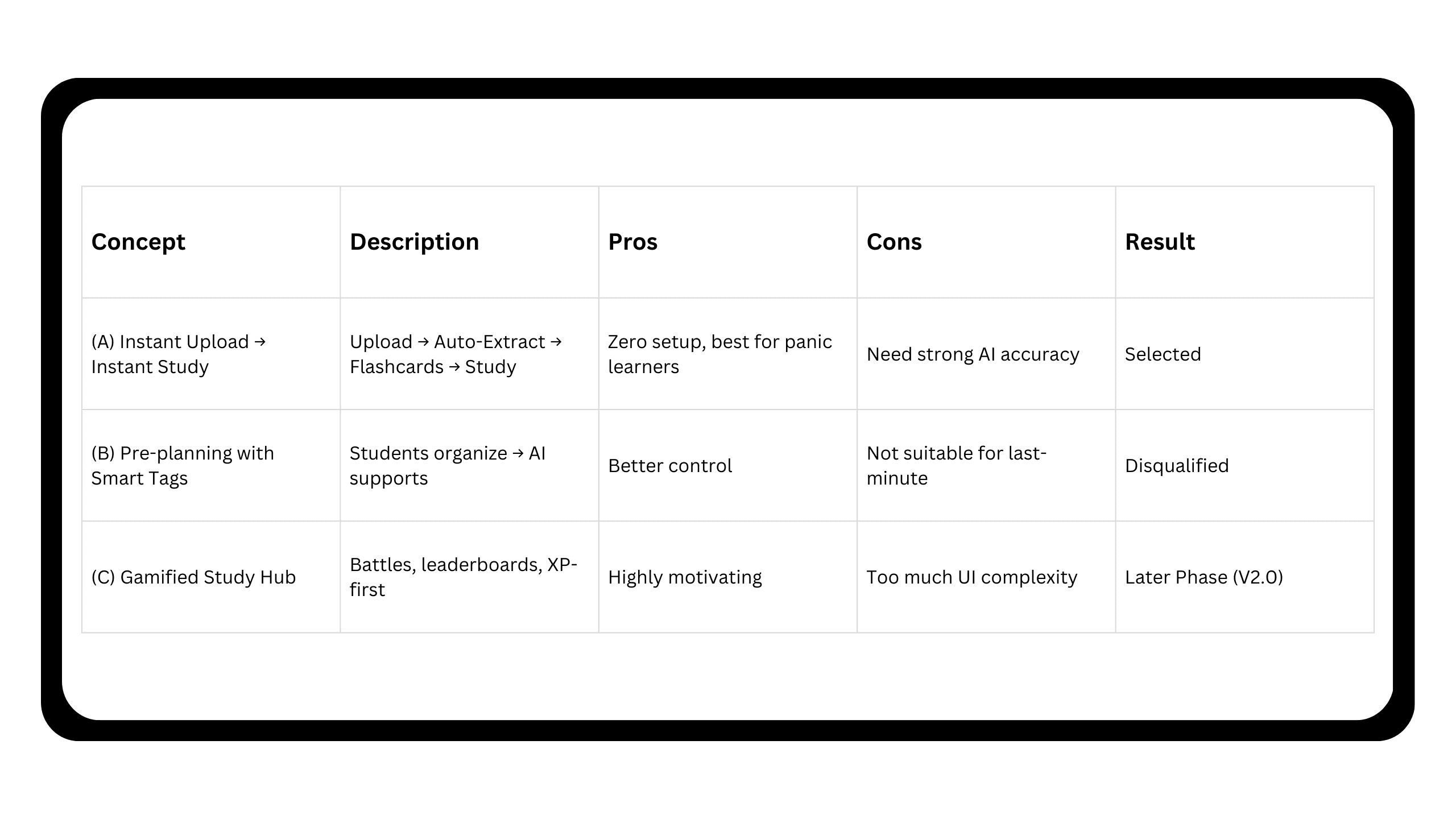
We prioritized speed to first learning session. For last-minute learners, spending even 15–20 minutes configuring study tools causes dropout. Concept A removes all setup — just upload, and QuickCram takes over.
Information Architecture
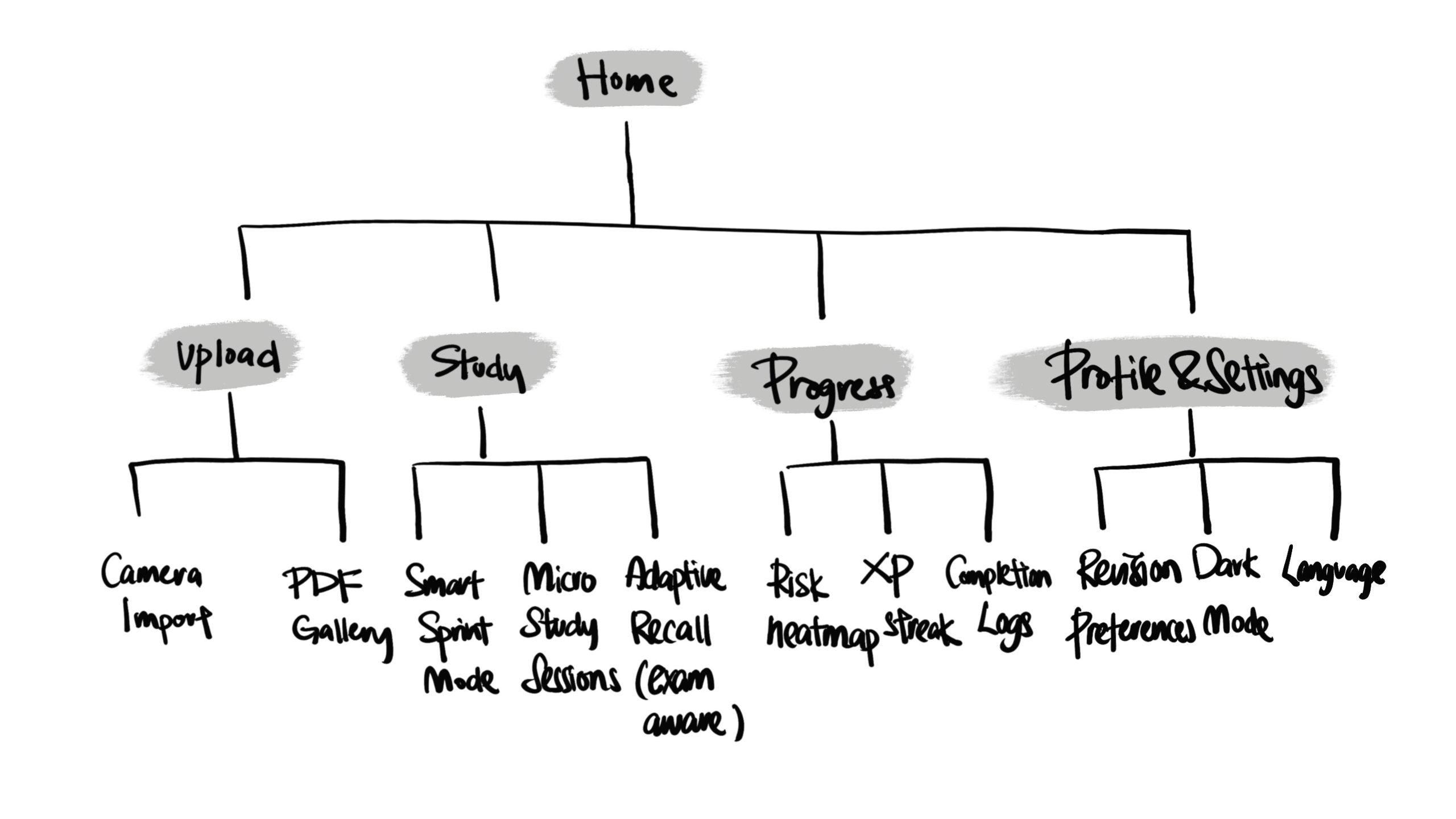
The IA is intentionally flat so users can start studying within 2 taps.
Core User Flow — From Panic to Progress in Seconds
QuickCram's user flow focuses on reducing friction and accelerating the moment of first learning. Instead of forcing users to configure decks or decide what to review next, the app automates extraction, scheduling, and prioritization — so students can move from panic to progress instantly.
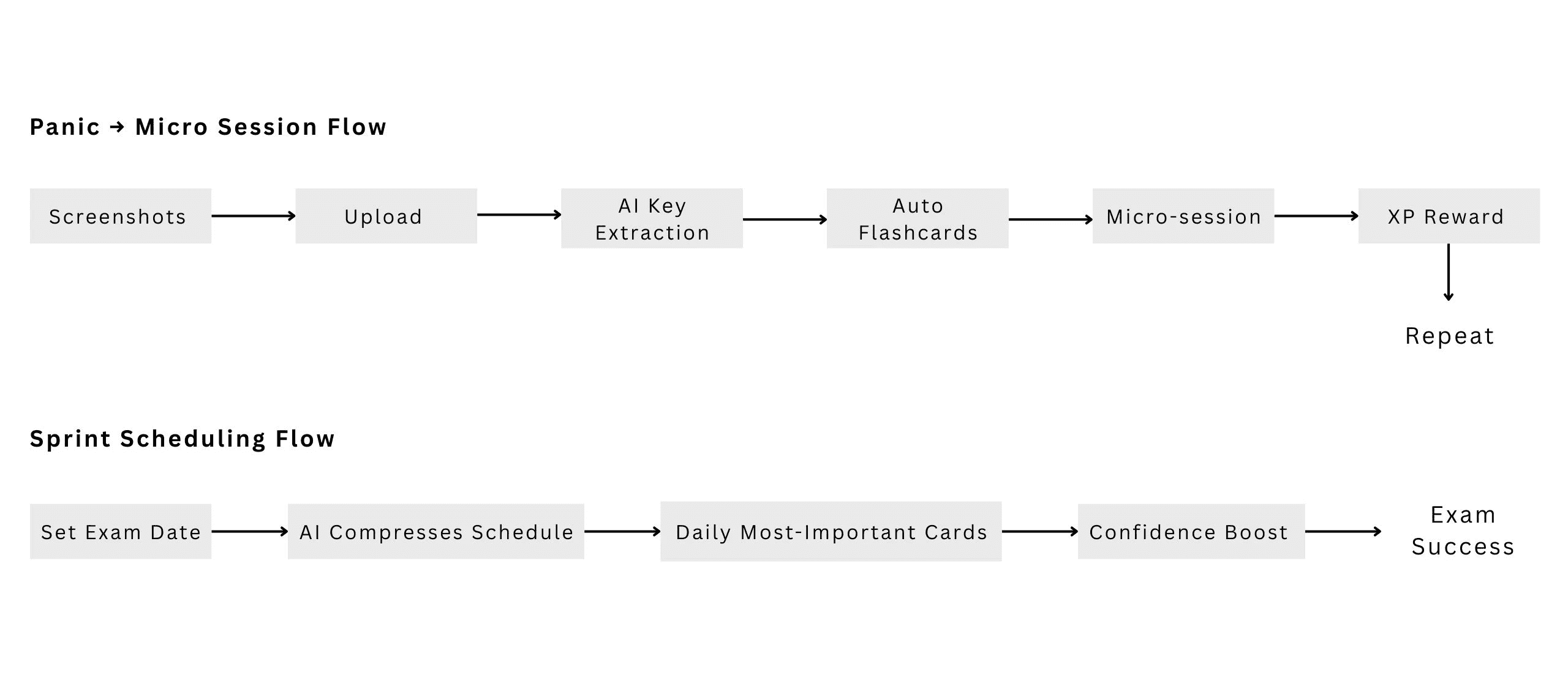
Flow A: Instant Upload → Micro Sessions
Designed for high-stress moments when students feel overwhelmed and need immediate action. Uploading automatically triggers key-point extraction and smart flashcard generation — eliminating cognitive overhead.
🧠 Clarity · ⚡ Zero prep effort · 🎯 Confidence · 📱 Study anywhere in short bursts
Flow B: Sprint Scheduling
When students enter an exam date, QuickCram compresses the study plan into short daily tasks and prioritizes weak areas, helping them stay focused and confident through countdown mode.
Detailed Interaction Flow
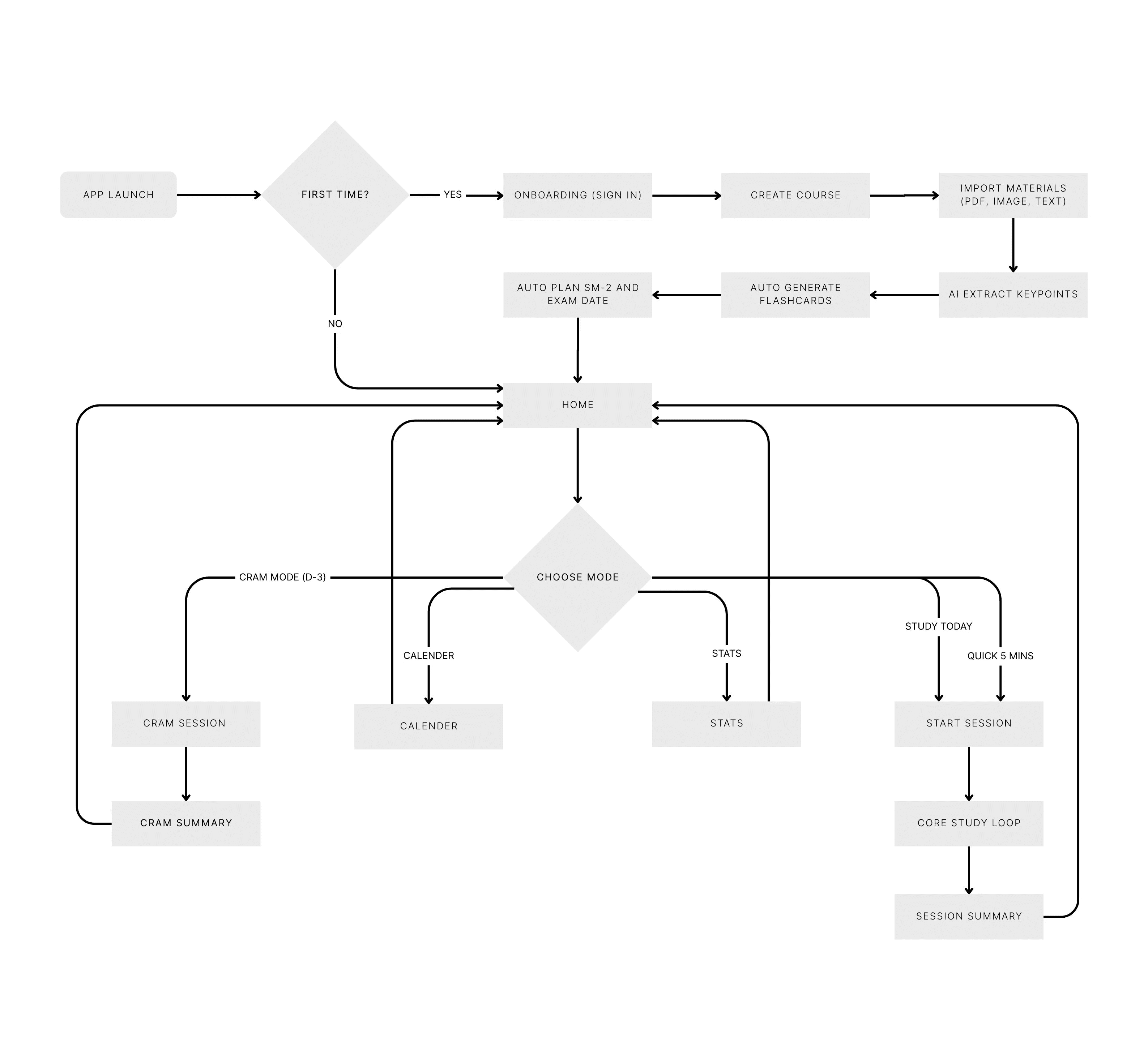
After mapping the primary panic-to-progress journey, I expanded the flow into a full operational path to validate interaction logic and remove friction at each step.
04 / Design
Low-Fidelity Wireframes
Based on the insights gathered in the research and define phases, I created low-fidelity wireframes to validate QuickCram's core user experience before moving into visual design. These sketches focus on the most critical interactions for last-minute learners: a single clear entry point, fast material upload, automatic structuring by AI, and a swipe-based micro-session flow that keeps mental effort low.
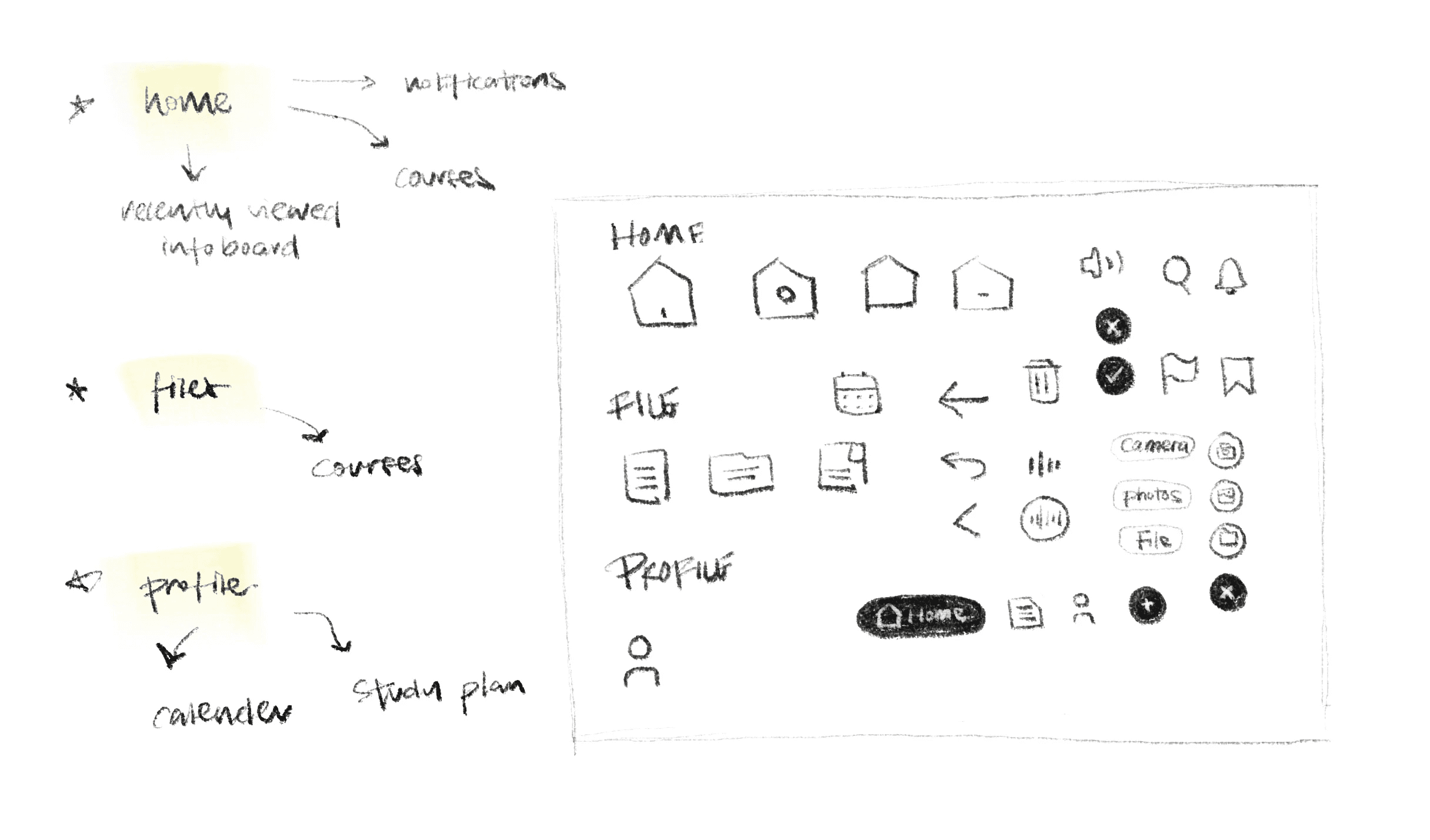
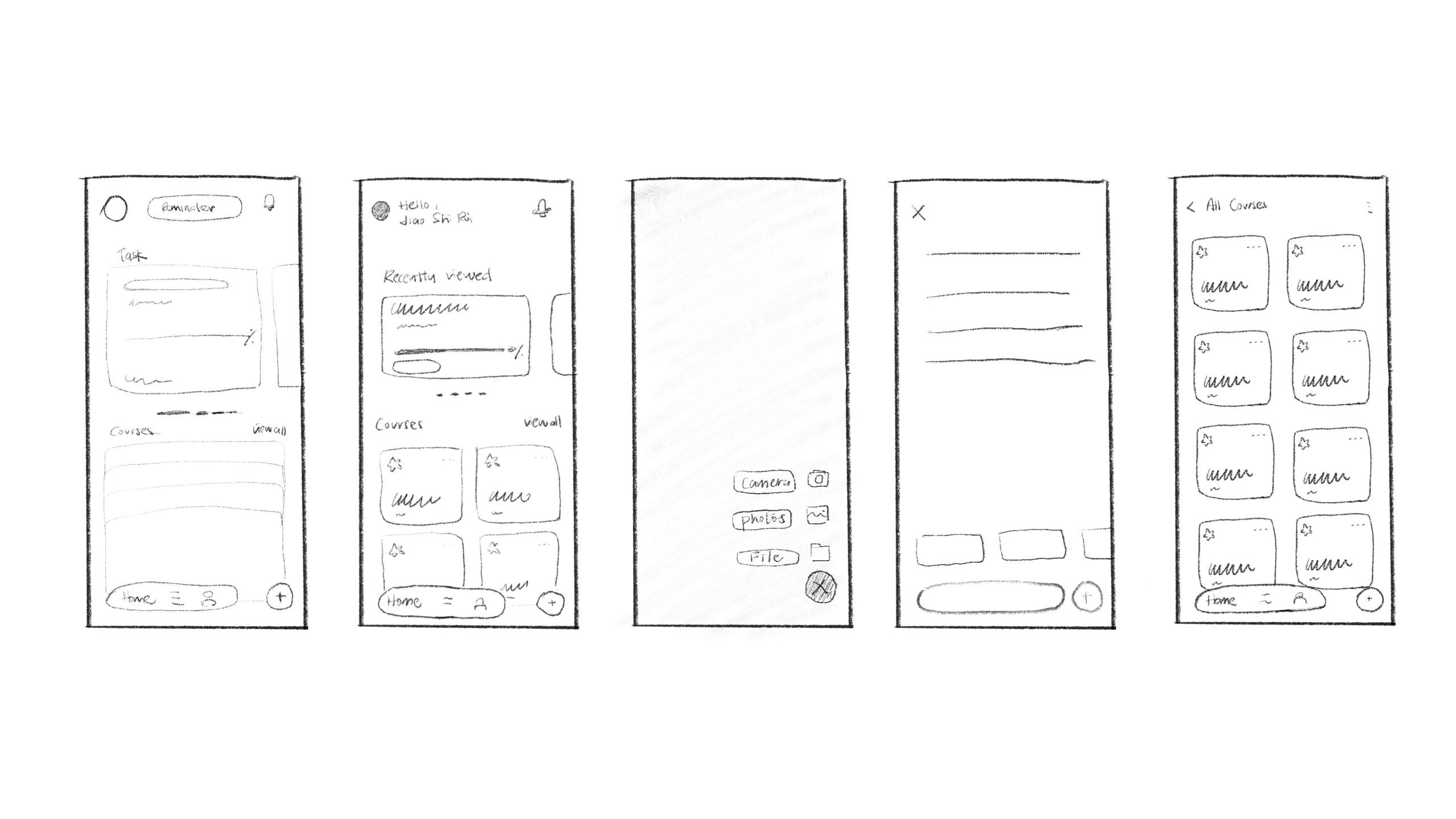
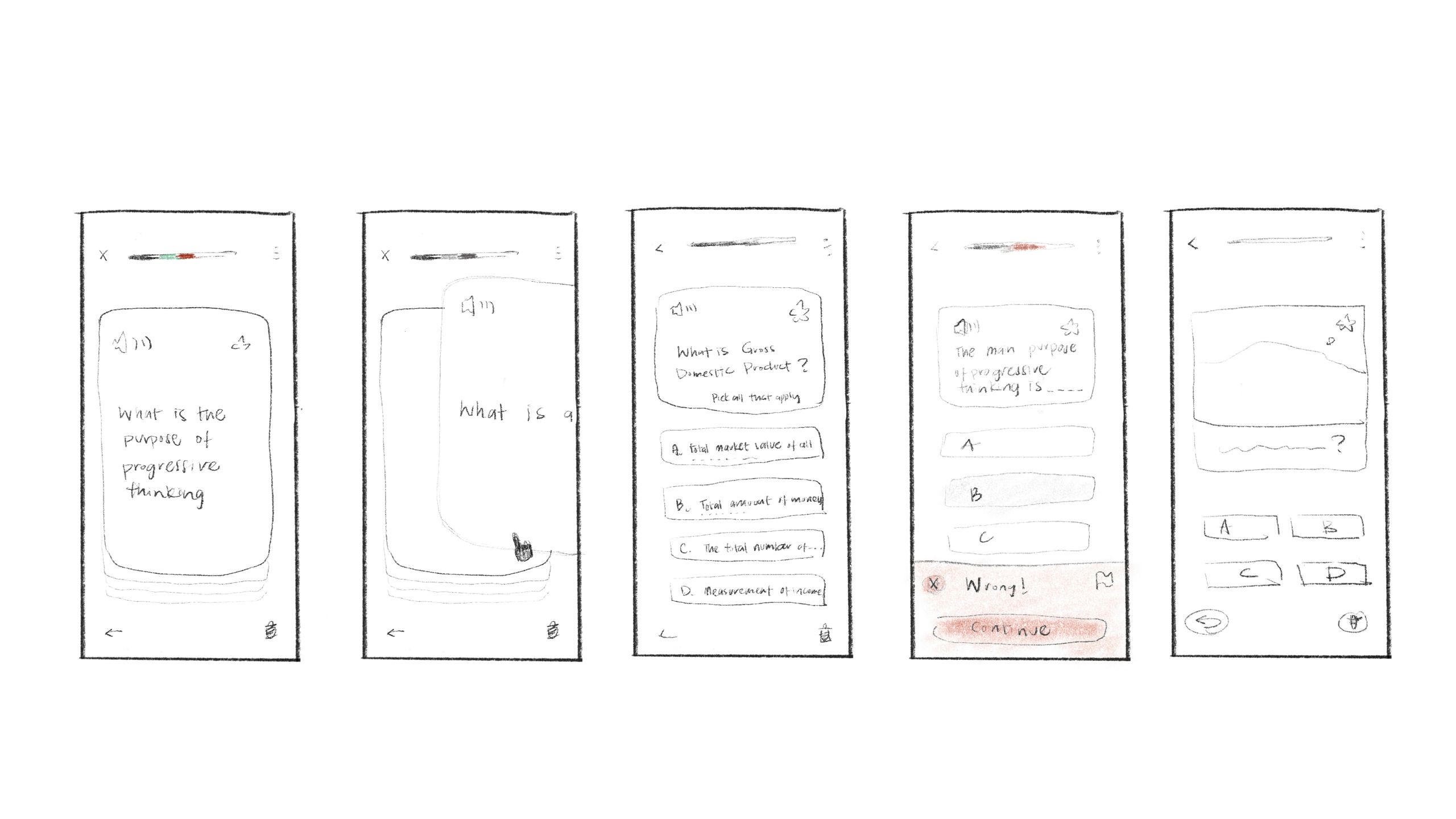
By simplifying choices and ensuring every screen presents one obvious next step, the wireframes demonstrate how the product converts panic into progress within just a few taps.
High-Fidelity Prototype
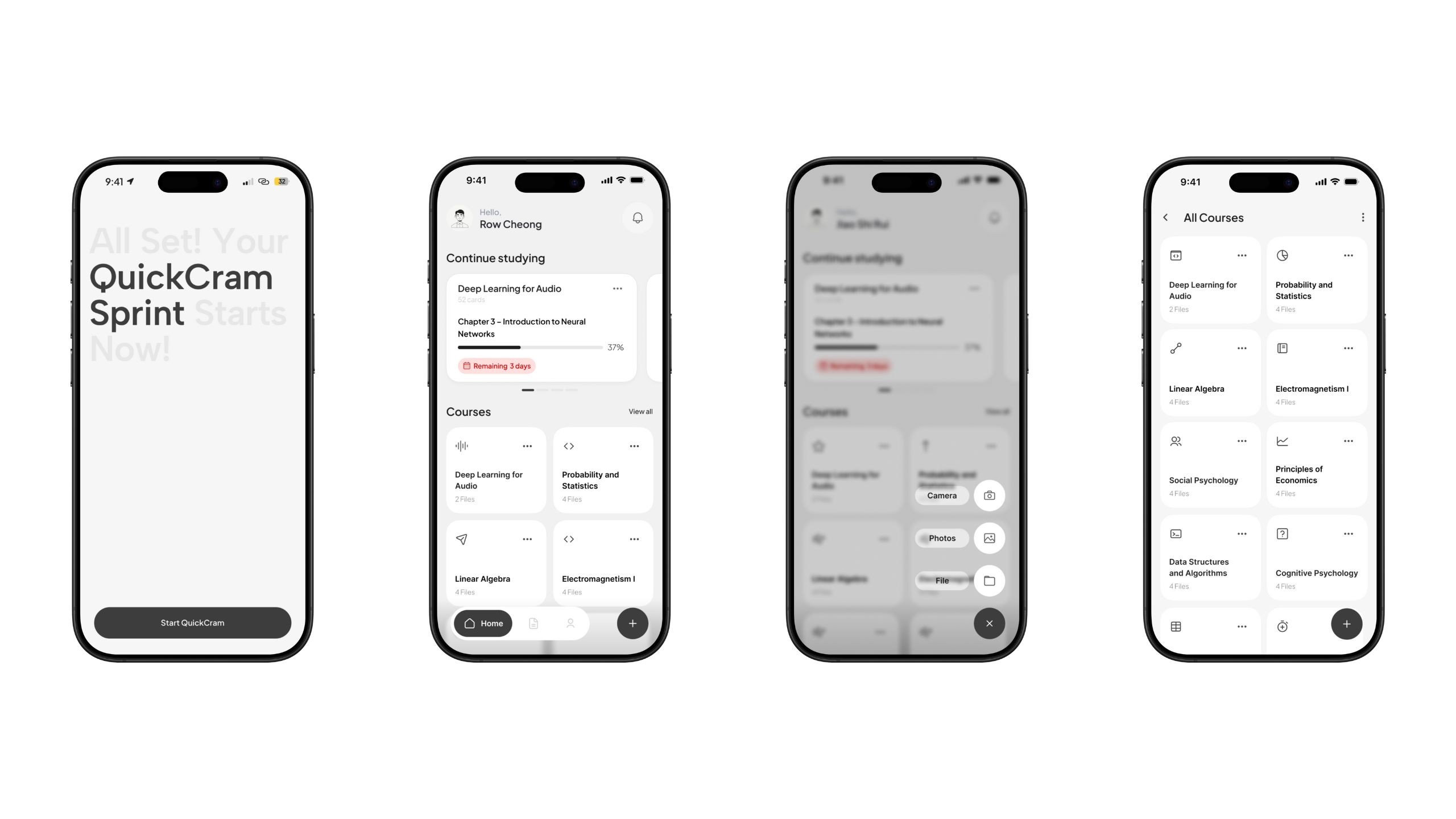
Zero-Friction Onboarding — From Install to First Study in Under 10 Seconds
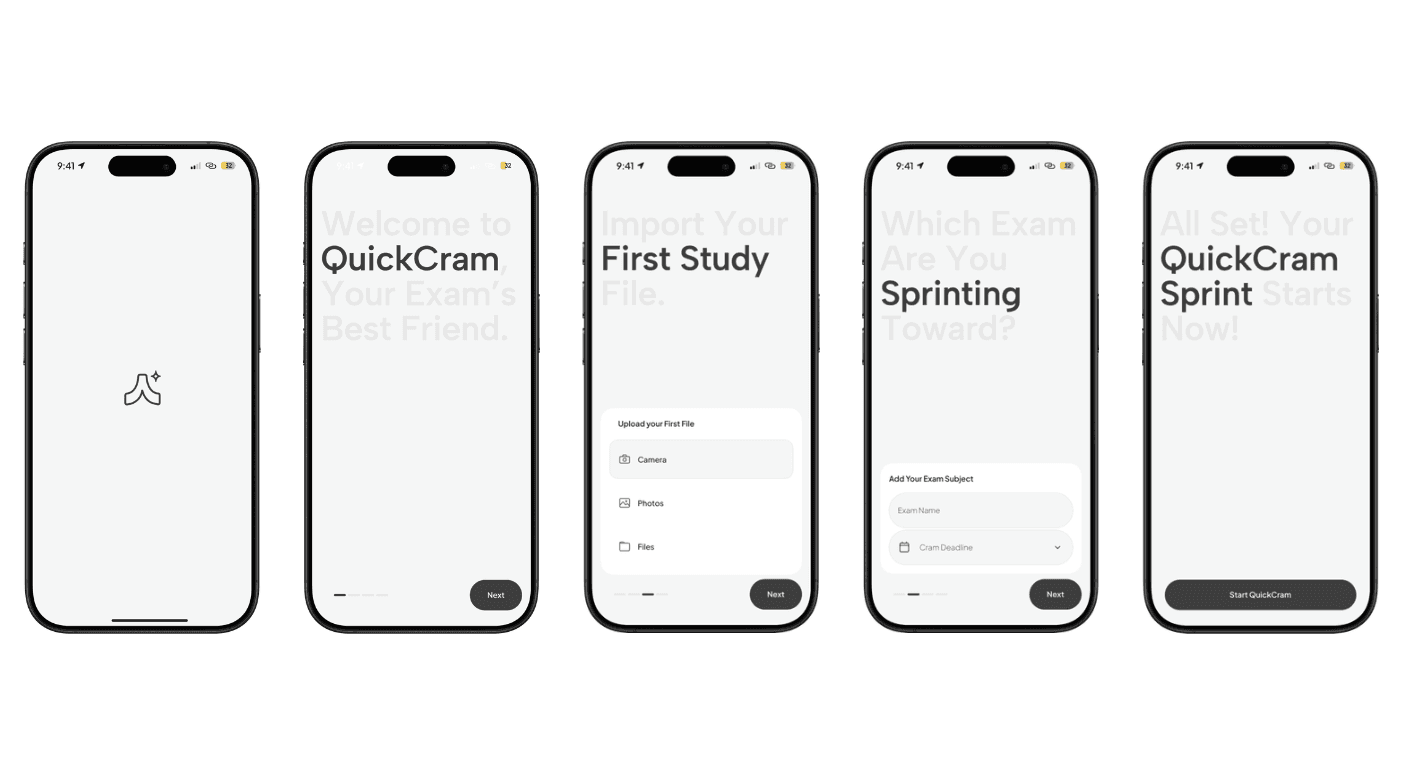
We designed onboarding around the moment of panic: when exams are close and mental energy is low. Instead of settings and setup, users upload a file, enter their exam date, and jump straight into a guided revision sprint. QuickCram turns first-open anxiety into a confident first win.
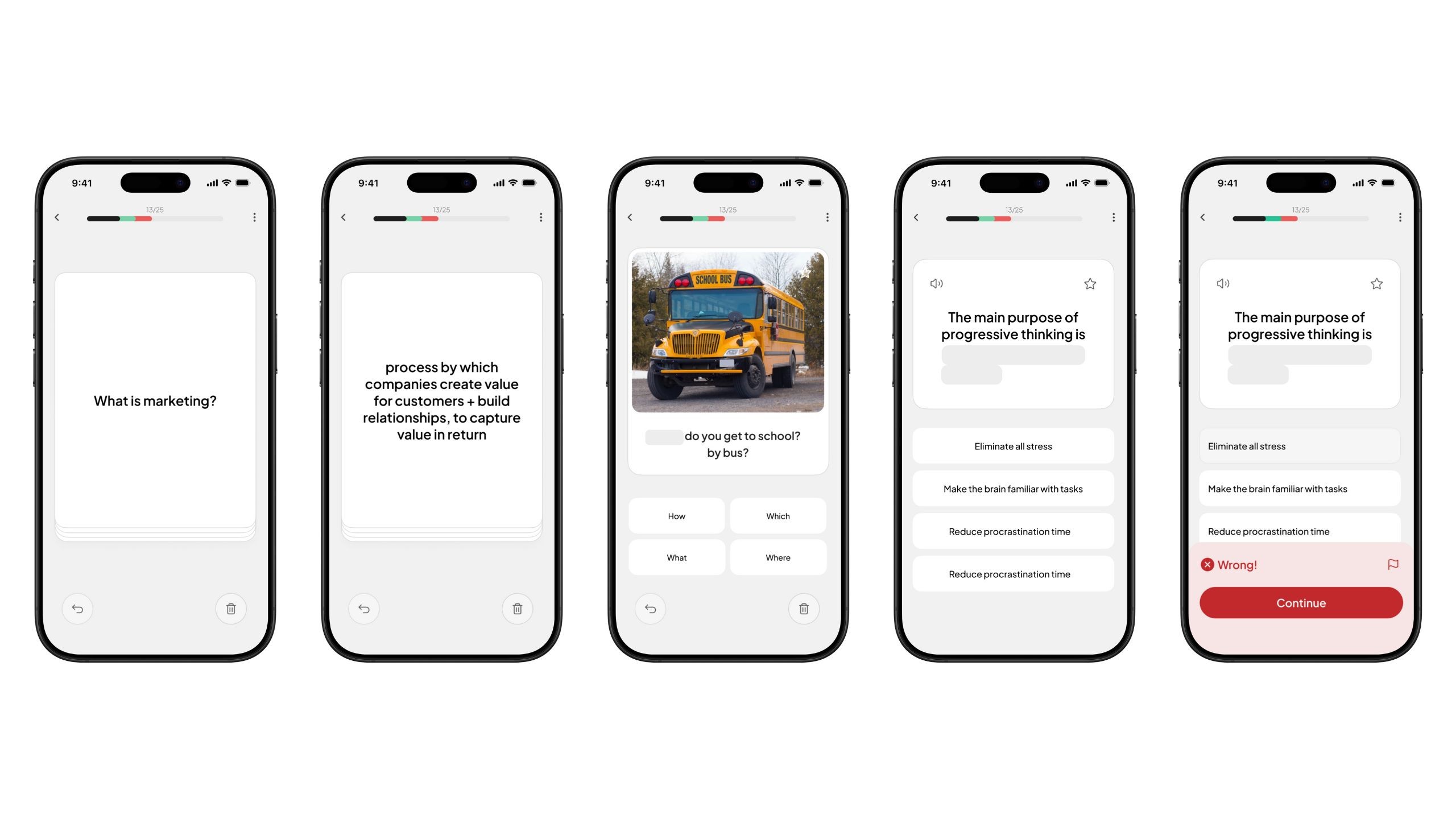
Study Session Interface
Multi-Format Flashcards
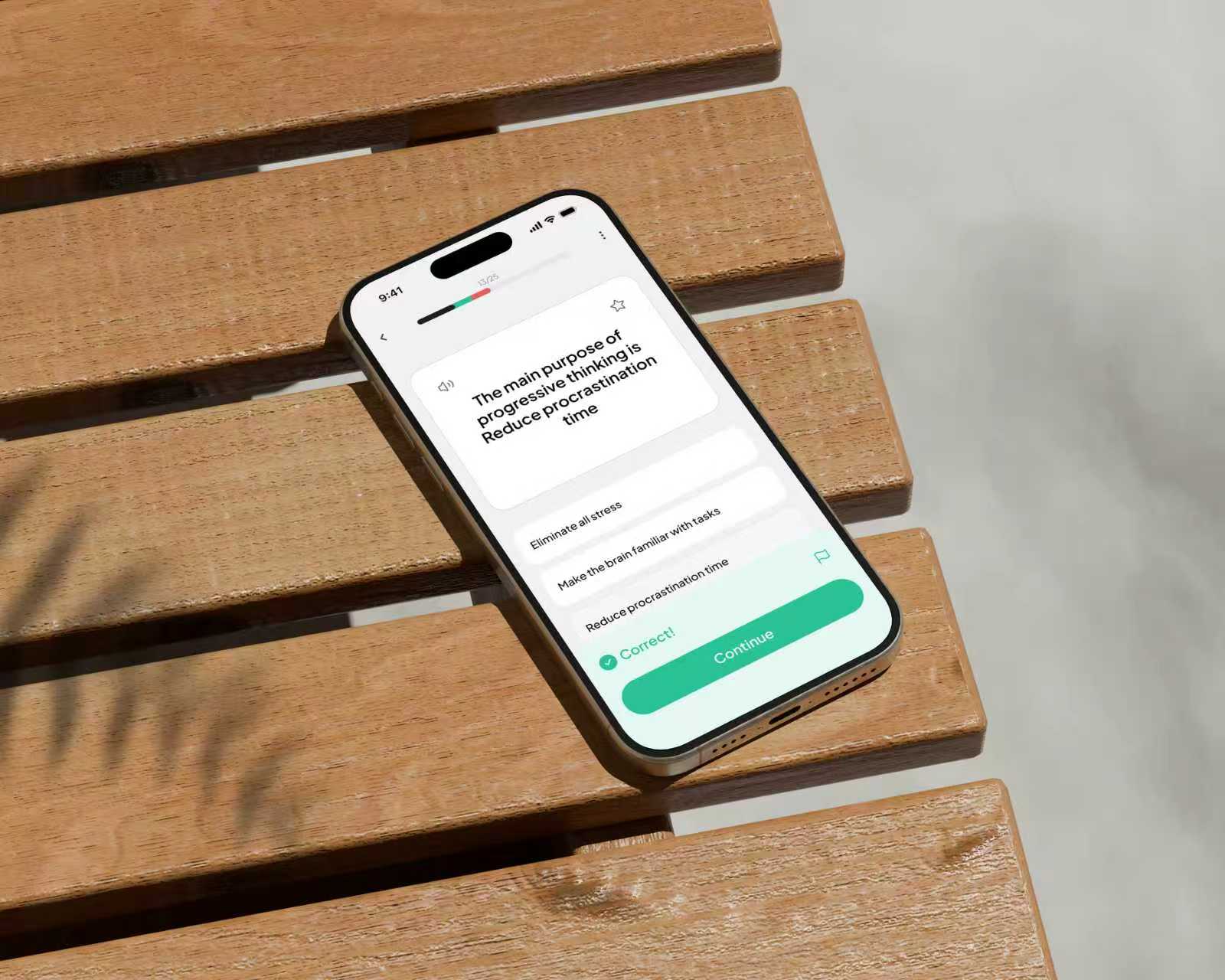
QuickCram supports multiple flashcard formats — traditional front-back cards for concept recall, cloze deletion for definitions, image-based prompts for visual learning, and multiple-choice questions for quick validation. These formats rotate intelligently based on content type and learner performance, ensuring that studying stays engaging while strengthening both understanding and memory retention under time pressure.
Logo Exploration
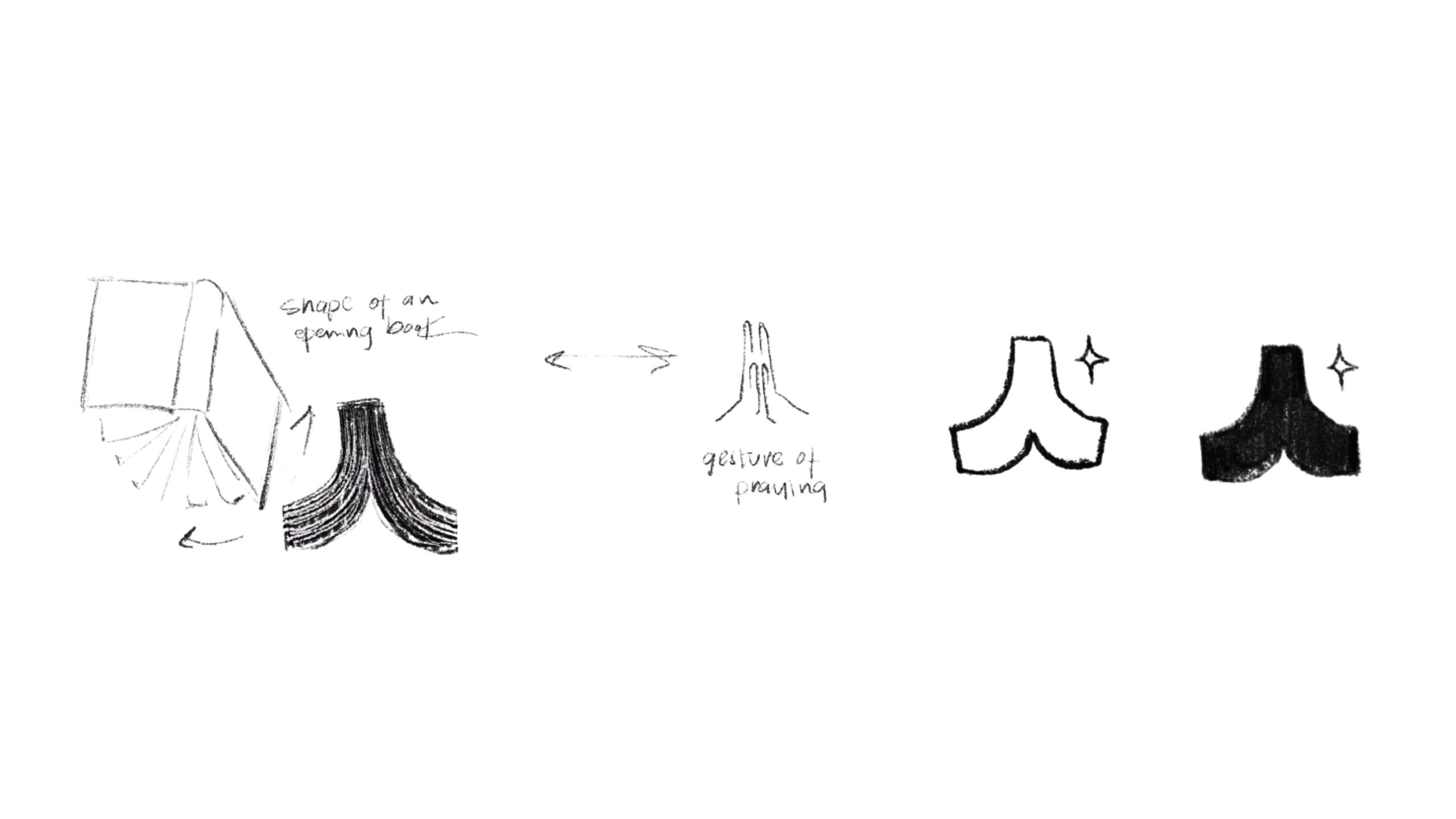
The logo concept is inspired by the phrase 临时抱佛脚 — the idea of desperately preparing right before an exam — which humorously reflects the mindset of last-minute learners. The icon combines two meanings in one simple shape: from one perspective, it resembles an open book, representing knowledge unfolding; from another, it forms the gesture of praying hands, symbolizing the hope and determination students hold in stressful moments. This dual interpretation captures QuickCram's spirit perfectly — turning panic into progress.
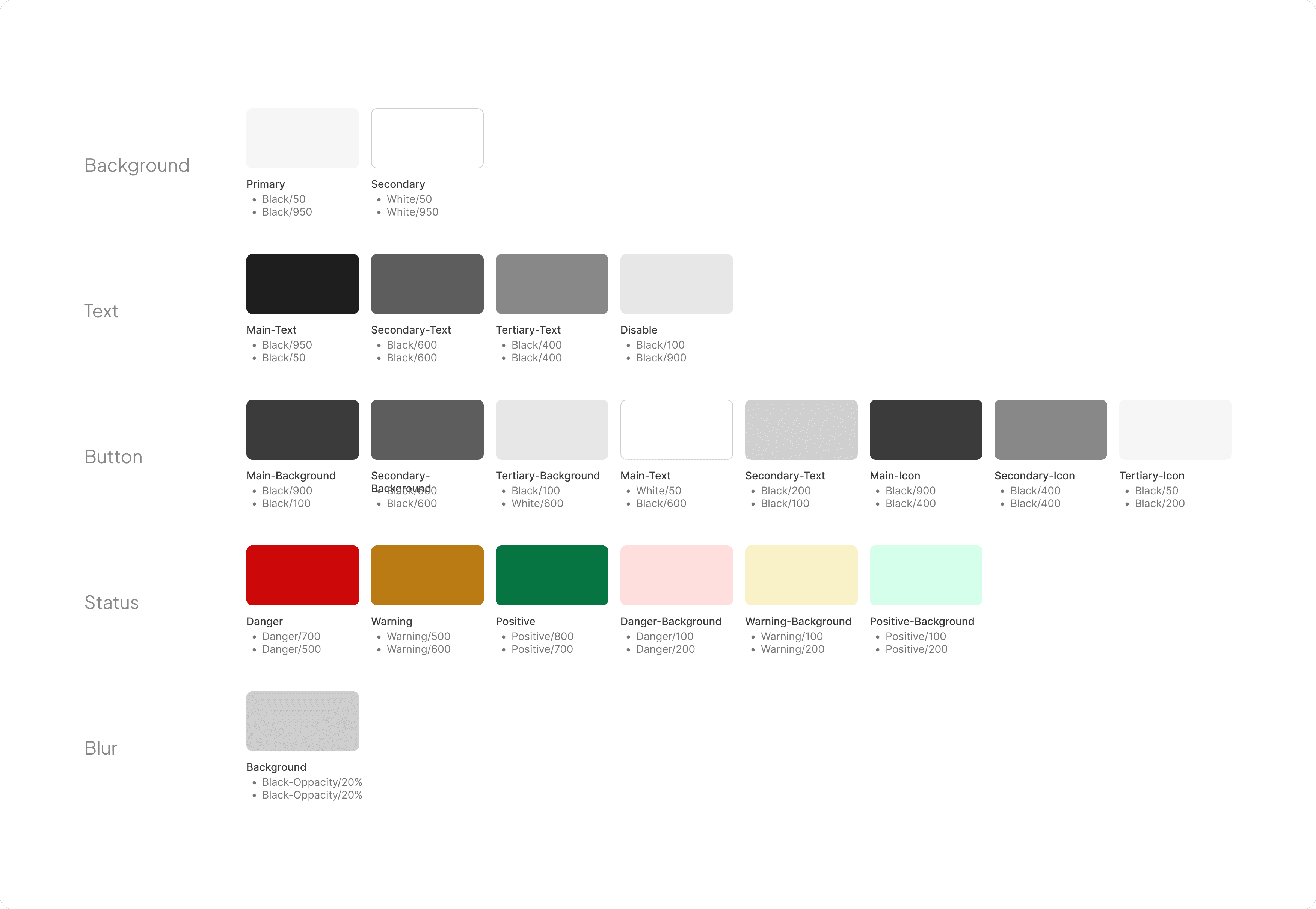
Visual Design System

Reflection
I started this project from my own frustration — the fear that comes 3 days before exams. Through research, I discovered that many others struggle the same way, not because of a lack of resources, but because study tools demand too much effort at the wrong moment. Designing QuickCram helped me grow as a UX designer: I learned to ask the right questions, make trade-offs quickly, and prioritize what truly matters to users.